School timetabling platform

The school timetable, cover and duties in one system

Nasaq is your companion in sharing out lessons and running the school timetable: fair loads for every teacher across lessons and duties, meetings that are easy to organise, a daily view of each teacher's own timetable, and indicators that measure every part of Nasaq.

  • The school's data belongs to the school
  • Arabic and English
  • Public holidays for seven countries
  • Full 14-day trial
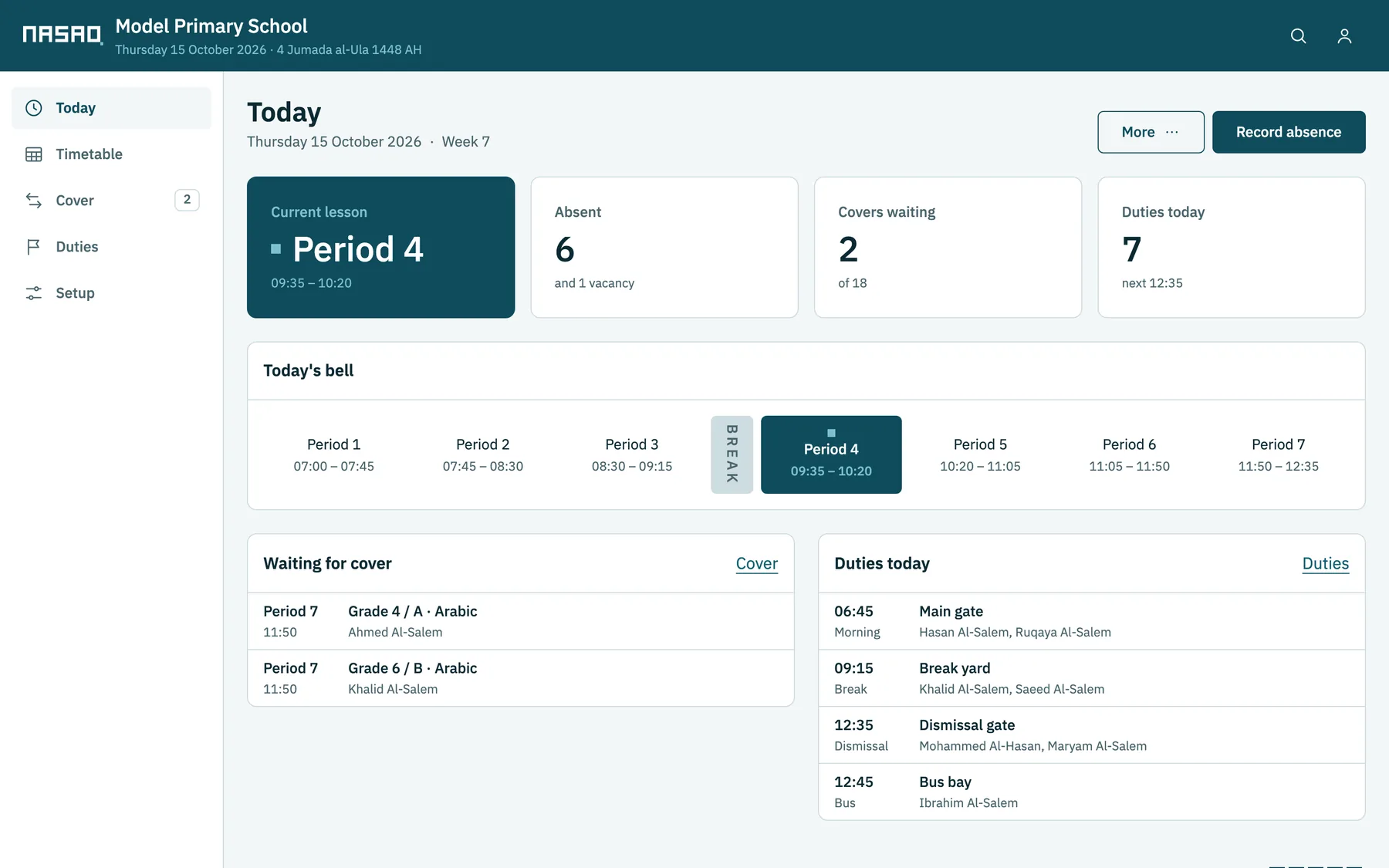
The Nasaq Today screen: the current period, absent teachers, lessons waiting for cover, and today's duties
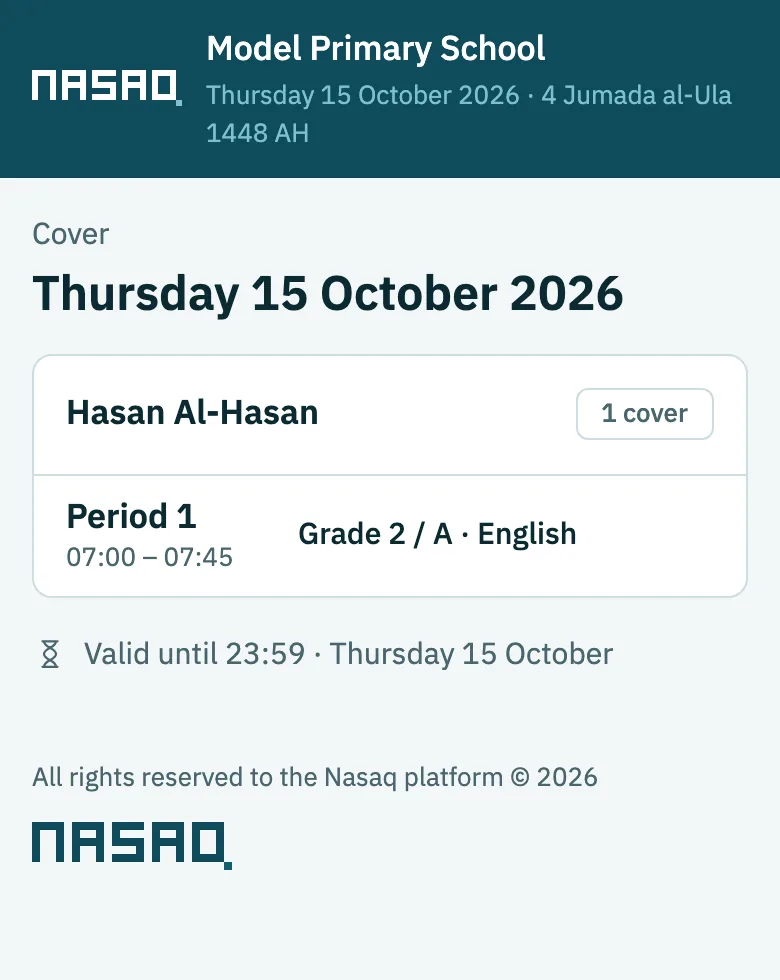
A teacher's link on a phone: one cover lesson in period 1, valid until the end of the day

What Nasaq does

From building the timetable to daily absences

You build the timetable at the start of the term, then use Nasaq every day for absences, cover and duties.

Building the timetable

Enter teachers, classes, subjects and loads, and Nasaq builds a timetable with no clashes for teachers, classes or rooms, keeping to teachers' unavailable times and double lessons. Anything it could not meet is listed with the reason.
Cover

Record a teacher's absence for the whole day or some lessons, and Nasaq shows the teachers free in each lesson and how much cover each has already done. Choose yourself, or let Nasaq assign it.

Duties

Morning, break, dismissal and bus duties, rotated among teachers. When a teacher is absent, their duty is covered like their lessons.

Import from aSc and Excel

If your timetable is in aSc Timetables, import it from there, or fill in Excel templates for teachers, classes, subjects, assignments and holidays. You review the data before it is saved.

Telling teachers

A button opens WhatsApp or Messages on your phone with a ready message and the teacher's private link, which shows only their cover or timetable. The message goes from your phone, with no outside messaging service.

Printing and export

Print teacher, class, room and whole-school timetables on the usual paper sizes, or export them to PDF and Excel.

A quick tour of Nasaq

The timetable the way the school needs it

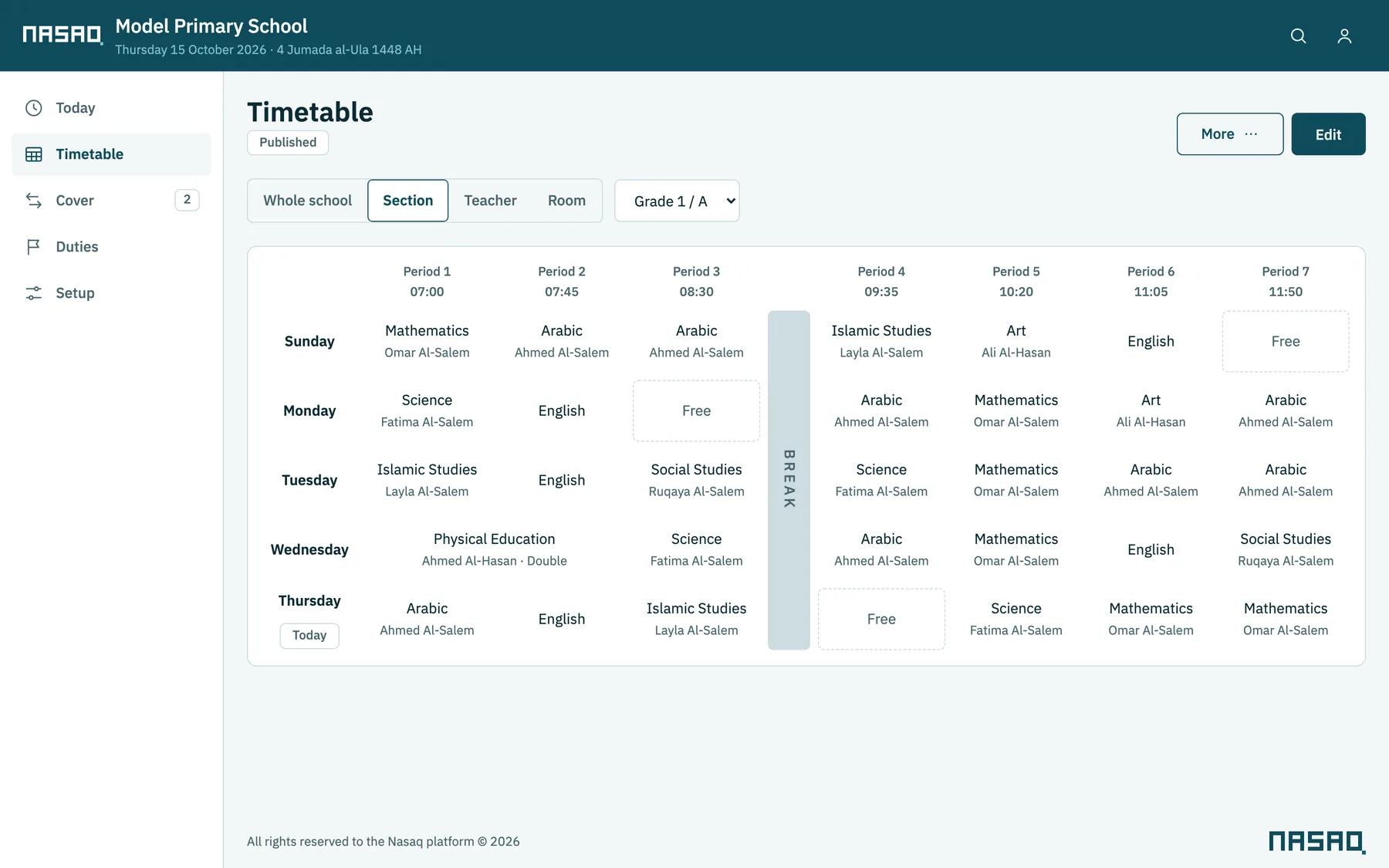
View it by class, teacher or room, or open the master timetable with every teacher on one page.

  • Several versions of the timetable, compared before you publish
  • Every edit is checked, and any clash shows before you save
  • Teachers see nothing until you publish
The timetable of Grade 1 A: five days and seven periods, with the break

Absences and cover

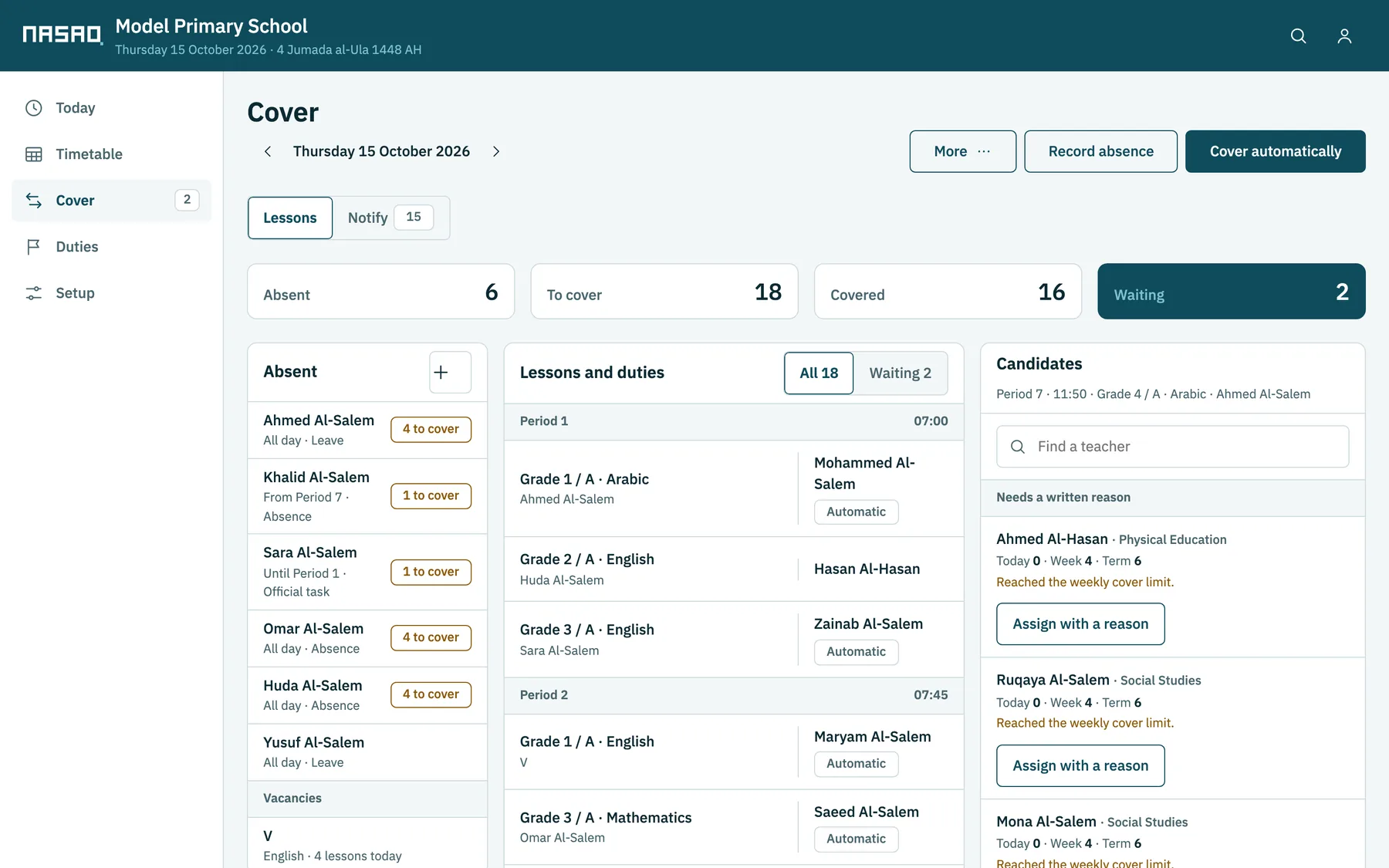
On one screen: who is absent, which lessons need cover, and which teachers are free in each lesson.

  • Cover lessons shared fairly among teachers
  • Lesson swaps, a substitute for long leave, and vacancy lessons
  • Automatic cover in one click, which you can then adjust
The cover screen: six absent teachers and 18 lessons needing cover, 16 already covered, with the free teachers listed

The duty rota

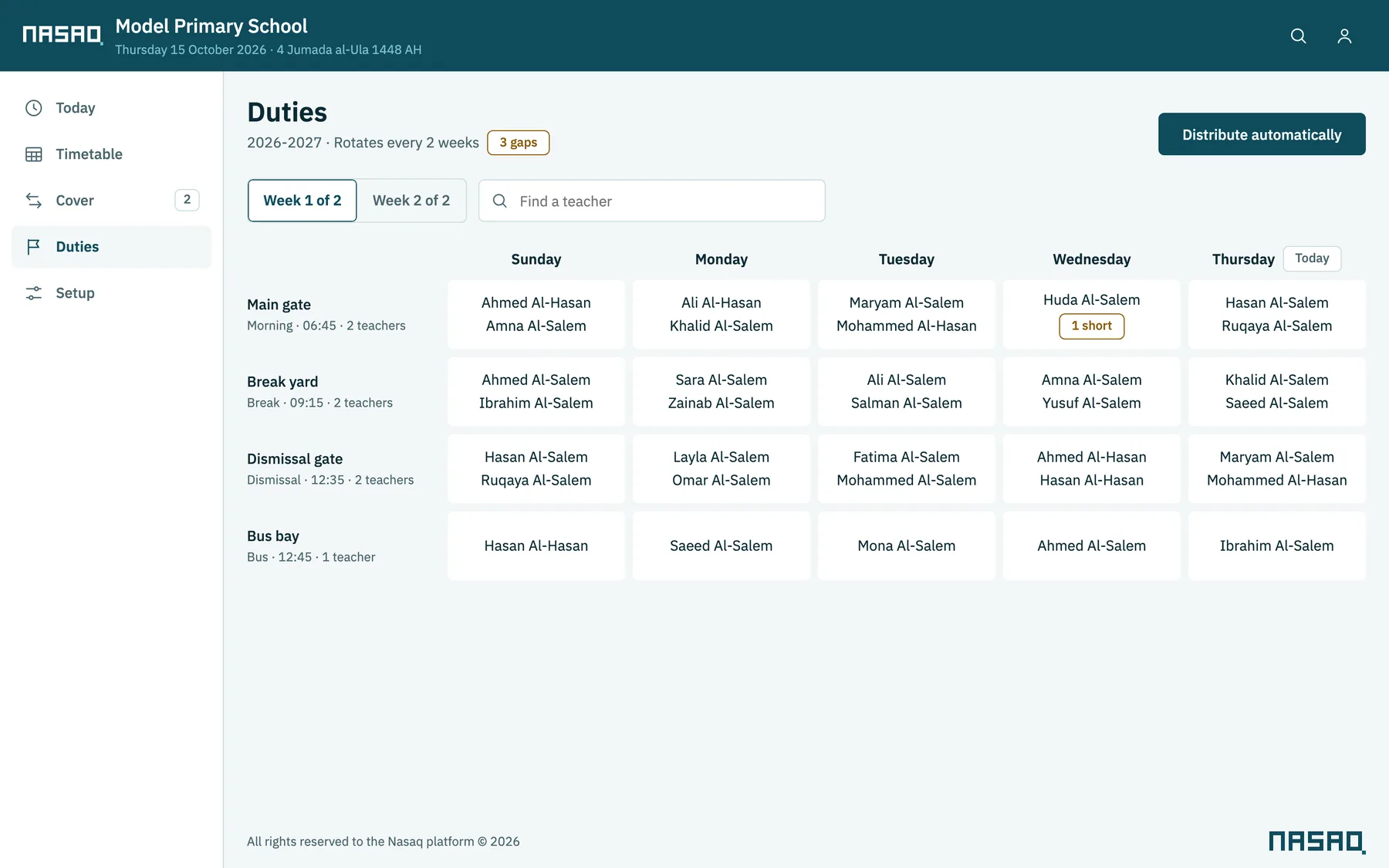
Set the duty points and how many teachers each needs, and Nasaq spreads them over one week or more, in rotation.

  • Duties shared fairly, with rules that give teachers a break in their school day
  • Any point short of a teacher shows at once
The duty rota: main gate, break yard, dismissal gate and bus stop across the week

Channels

On the web, the computer and the phone

Web

In any browser on a computer or phone, with nothing to install. Included in every plan.

The school's own domain or server

We move your school's copy to run on the school's own domain or its own server.

Mac and Windows app

Runs on the school's computer without internet, after a single activation.

Mobile app

Teachers see their timetable, duties and cover lessons.

Languages and countries

Arabic and English, for seven countries

The whole interface is in Arabic and English, and each user picks their language and digits. Dates can be Hijri, Gregorian or both, and the school sets its working days and the names of its stages, grades and classes.

Choose your country and its public holidays are added; the school can change them as it likes.

  • Saudi Arabia
  • UAE
  • Bahrain
  • Kuwait
  • Qatar
  • Oman
  • Egypt
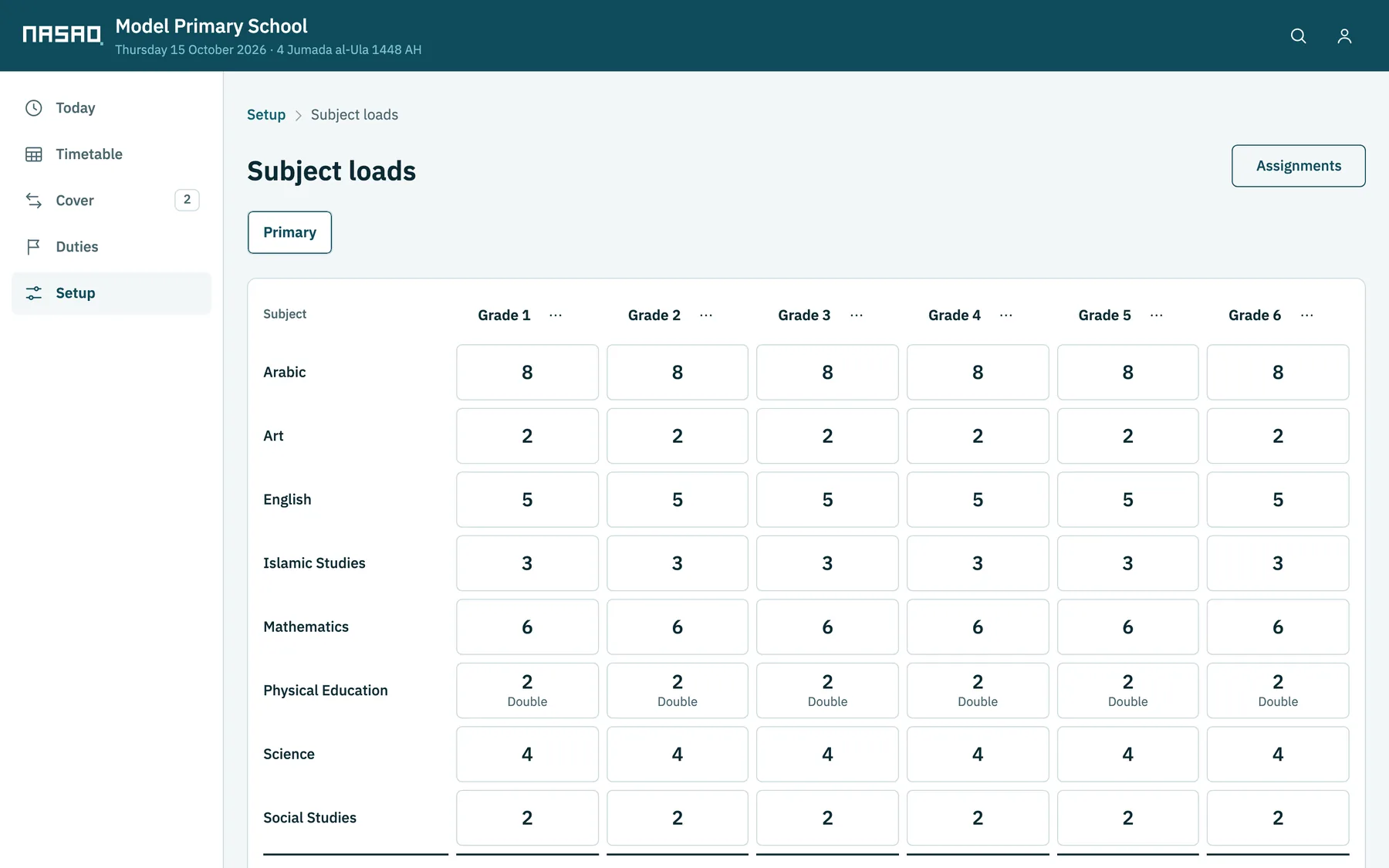
The subject loads screen: weekly lessons for each subject in each grade, from Grade 1 to Grade 6

Data and support

The school's data stays with the school

Owned by the school

Each school has its own database, and gets all of its data back if it cancels.

No outside services

No analytics, no ads, no fonts from other servers. Messages to teachers go from your own phone.

Nothing is deleted

If the licence ends, the school's data stays as it is and can still be viewed.

Support in Arabic and English

One month of support with every purchase, then private support on request. Write to us from the contact page.

Change history

Who changed what and when, in the timetable and the settings.

Clear permissions

Account owner, timetable officer, administration, and teachers who see only their own data.

See Nasaq with a complete school

There is a demo school for each of the seven countries, with a published timetable and a school day with absences and cover. Try anything you like: the data is sample data and resets every night.